
Whether you are thinking of buying a graphics tablet with screen for drawing, 3D modeling, graphic design or any other creative endeavour, here you will find the best pen display drawing tablets in terms of quality, price and reviews.
Drawing tablets with screen (also called pen display tablets, drawing monitors or interactive monitors) are graphics tablets with a built-in screen that, when connected to a computer, duplicates the image of the computer monitor, as if it were a second monitor, allowing you to draw on the screen of the tablet directly. An incredible sensation.
If in doubt, take this simple test to find out what drawing monitor is right for you.
If you want personalized assistance, let us know in the comments section and we will help you choose the right model for you. Just leave a comment and will get back to you as soon as possible.
The price of a drawing monitor is generally higher than a normal graphic tablet without a screen, but the experience of use is totally different and the satisfaction of drawing with them is much higher. In addition, prices are falling rapidly, due to the wide variety of brands and models available on the market. Nowadays it is not uncommon to see drawing tablets with screen from 200 or 300 dollars (or pounds).
Graphics tablets with screen are usually connected to a computer via USB+HDMI cable, in addition to a supply cable for powering the tablet itself. Some come with a single 3-in-1 cable (USB, HDMI and power all in one).
Sizes are measured in inches and they vary from 13 inches to 27 inches. If you are in doubt about which size to buy, take a look at our guide that explains which size of graphics tablet you should buy.
Disclosure: This post may contain affiliate links. That means if you buy something we get a small commission at no extra cost to you (learn more). This allows us to keep this website alive.
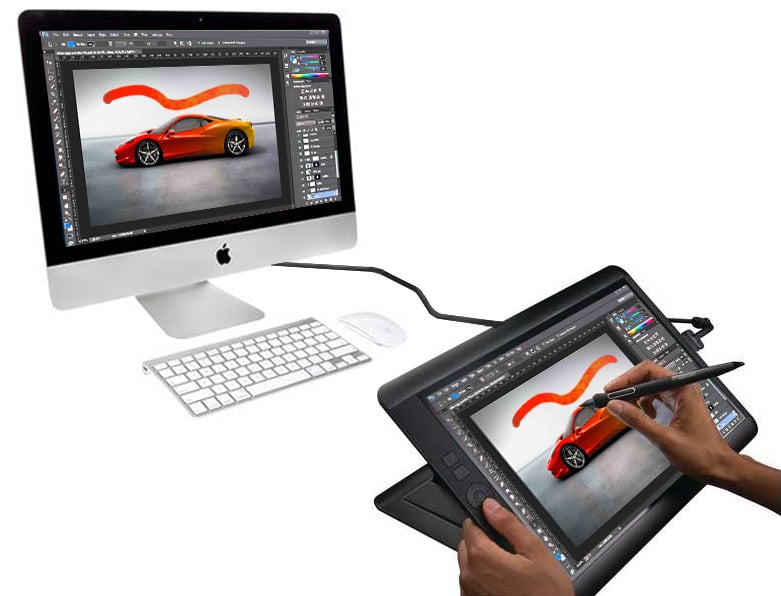
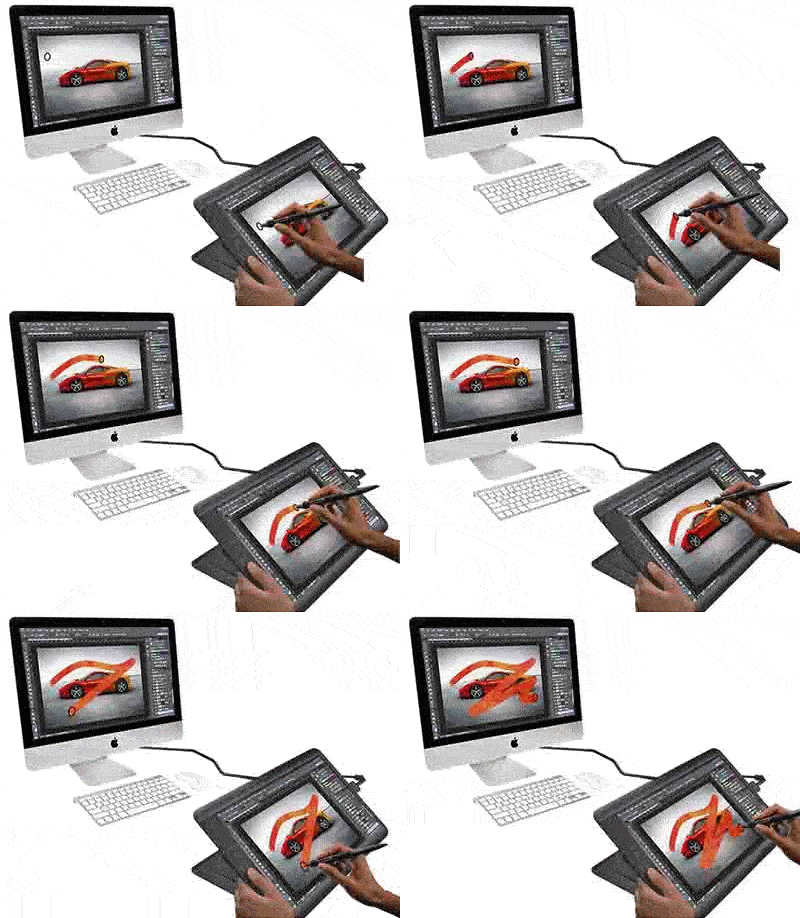
(Click on the image to enlarge)
In this article:
Difference between a "Drawing Tablet" and a "Tablet for drawing"
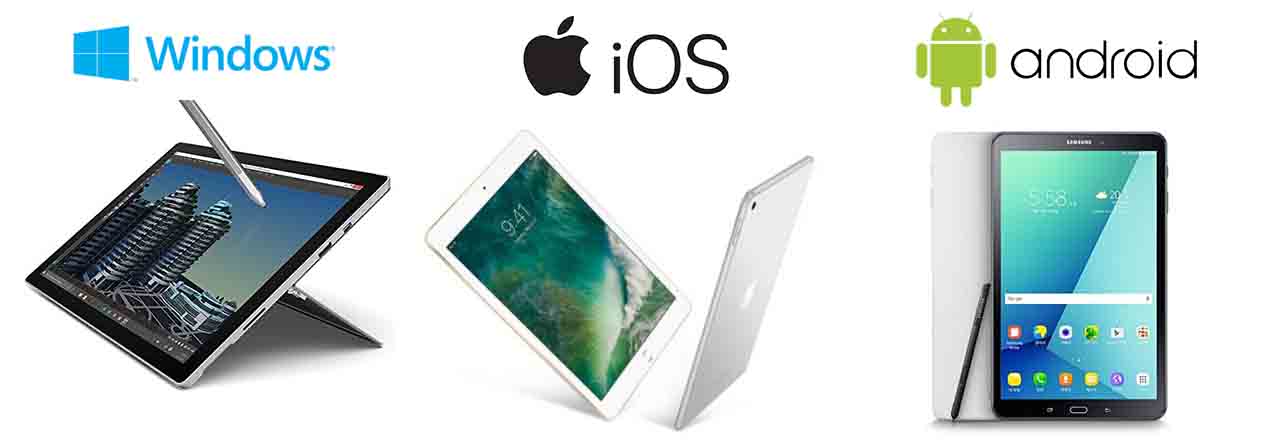
Note: A Drawing Tablet (with screen or without it) is NOT the same as a plain Tablet (for drawing or for general use).
The difference is that graphics or drawing tablets are devices that you connect to a computer, while a Tablet by itself has its own operating system and hence you don't need to connect it to a computer.
In this article we cover Drawing Tablets (a.k.a. Graphics tablets) with screen, also known as pen display tablets or drawing monitors.
If you are looking for Tablet computers with their own operating system, read this post about tablet computers for drawing.
- BEST DRAWING MONITOR
- BEST VALUE
► Most powerful drawing monitor (cheaper than a Cintiq 22HD):
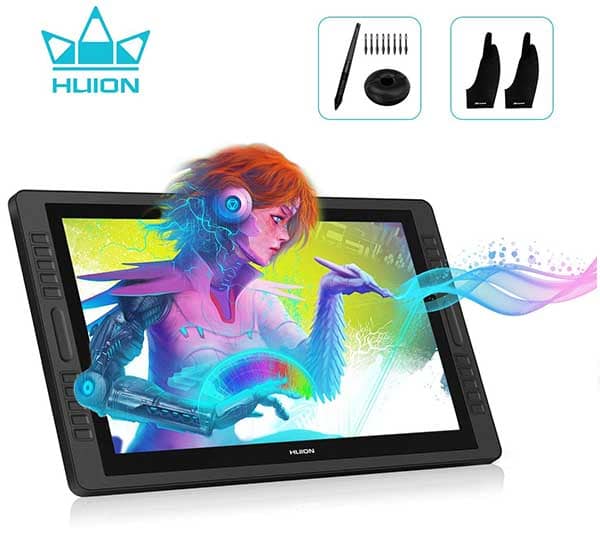
Like a Cintiq 22HD - for half the price
We have analyzed this product on this review.
Graphic Tablets WITH screen represent a HUGE improvement compared to tablets without a screen, for the following reasons:
These tablets are optimized for use in Digital Illustration, Graphic Design, Photographic Retouching, 3D Design, and in general any intensive use of graphic or design programs, whether in 2D or 3D.
They are a good investment if you are a student of design or graphic and visual arts, for animation and 3D modeling, illustration, for professional photo retouching, or simply to enjoy creating to the fullest on your computer.
I have this budget and these requirements... What graphic tablet with screen should I buy, according to my needs?
With so many brands and models flooding in the market, it is normal to get a little confused and it may be hard to decide which drawing tablet with screen to buy.
That's why we've created our Pen Display Graphics Tablet Selection Tool to help you find the model that best suits your needs.
Simply answer these questions by indicating your priorities, and we'll recommend the best model for you.

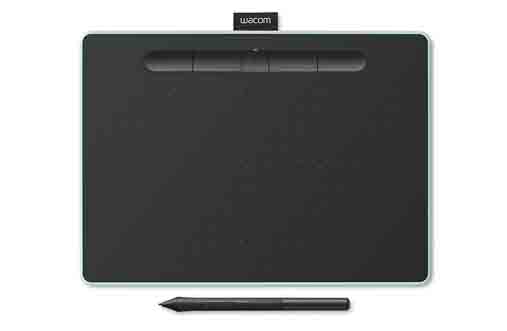
Huion pen display graphics tablets are a very viable alternative to Wacom's Cintiqs, at a much lower price. The smaller models can be found for around 200-300$ cheaper than the equivalent Cintiqs, and even more difference in price for larger 22-inch models.
Below we explain the entire range of Huion pen display drawing tablets, as updated as possible according to the official website in 2018. If you want more information about these tablets, you can visit Huion's official website (although often the manufacturers website don't clarify much, so here we explain break down everything for you).
The Huion GT-191HD is one of the best options on the market in terms of value for money and nice balanced specs. You can see the specifications further down.
Check out the price and you will find out why it is considered one of the best drawing tablets with screen for quality-price ratio.
► Graphics tablet with screen recommended for quality-price ratio:

The best quality-price tablet nowadays
Huion GT-191HD features:
You can typically find the Huion GT-191HD under 500$, which is without any doubt a great price for a graphics tablet with screen with specs like these.
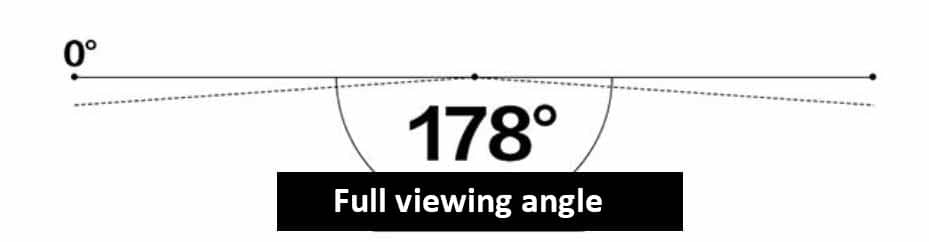
Drawing tablets with screen with a full viewing angle of 178 degrees like the Huion GT-191HD allow you to see the image from virtually any angle without colour distortion
Strengths and weaknesses of the Huion GT-191HD:
► Good value for money. A very good set of specs for a very decent price, makes this tablet the top of the list when it comes to quality-price ratio.
► 19.5 inch screen (larger than the 13 inch Cintiq 13HD, without being as large or as heavy as the Cintiq 22HD).
► Full HD screen with 1920 x 1080 resolution, 8192 pressure levels digital pen, for this price, is a really good deal.
► Huion is the 2nd best selling brand for drawing tablets
► The stylus is not battery-free, the screen is not multi-touch and it doesn't have a 3-in-1 cable. These are minor weaknesses and even with these it's still worth it. Things like multi-touch are quite rare and almost exclusive to more pricey Wacom tablets. A 3-in-1 cable would be convenient although not a requirement.
For all this, the GT-191HD is hands down one of the best options in the market right now in terms of quality-price ratio. User reviews are very positive overall for this drawing tablet. Here you can see further details and price for the Huion GT-191HD.
This would be the immediately superior version to the Huion GT-191HD.
The Huion Kamvas Pro 20 is the new powerful 19.5 inch drawing monitor by Huion. With its 16 programmable buttons and its 2 touch bars, plus the new battery-free PW500 digital stylus, this graphics tablet is the best 19.5 inch drawing monitor just now.
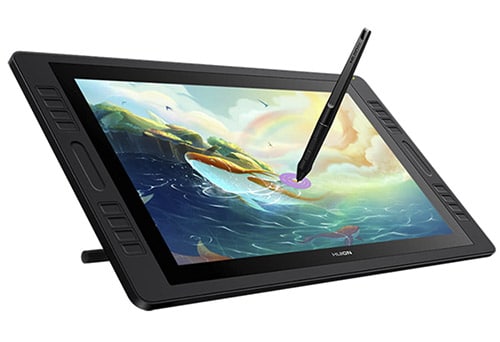
To be accurate, there is an intermediate model between the GT-191HD and the Kamvas Pro 20, and that is the GT-191HD "V2". However if you want to upgrade from the GT-191HD, it's better to buy the Kamvas Pro 20, as it has significant improvements over the GT-191HD.
Huion Kamvas Pro 20 features:
The Kamvas Pro 20 is considered a "semi-professional" pen display graphics tablet, meaning that it can be used at a very high level, even to produce professional-quality work (we strongly believe this device is perfectly suitable for professional artists).
Given its solid specifications, it can compete with the classic professional drawing monitors such as the Cintiq 22HD. An advantage of the Kamvas Pro 20 over the Cintiq 22HD is that the Kamvas Pro 20 is so much lighter, as it weighs in at 3.6Kg, whereas the Cintiq 22HD weighs in at 8.5Kg.
One of the key improvements on the Huion Kamvas Pro 20 is that it comes with the new PW500 battery-free digital stylus.
The PW500 digital pen is completely battery-free and it supports tilt detection, supporting +/-60 degrees of inclination of the pen. Tilt detection is one of those features that has been considered "premium" for a very long time and it is still a feature that very few graphics tablets can boast of.
Here is a summary of the Huion Kamvas Pro 20 pros and cons:
► Battery-free digital stylus with tilt support.
► 19.5 inch is a pretty good size in most situations (more ample than the 13 inch Cintiq 13HD, without taking up so much space or being as heavy as the Cintiq 22HD).
► 16 programmable buttons and 2 touch bars.
► Huion is a reputable manufacturer (2nd best seller)
► If you prefer to have a very large drawing surface, then you might want to buy a 22 inch drawing monitor instead.
To wrap up, the Kamvas Pro 20 is currently one of the strongest pen display drawing tablets, given its solid and balanced specs. It clearly makes it into the Top 3 in terms of quality-price ratio and value for money.
If you want to know more about this drawing monitor, check out our full review of the Kamvas Pro 20.
[ Click to see it on Amazon ]
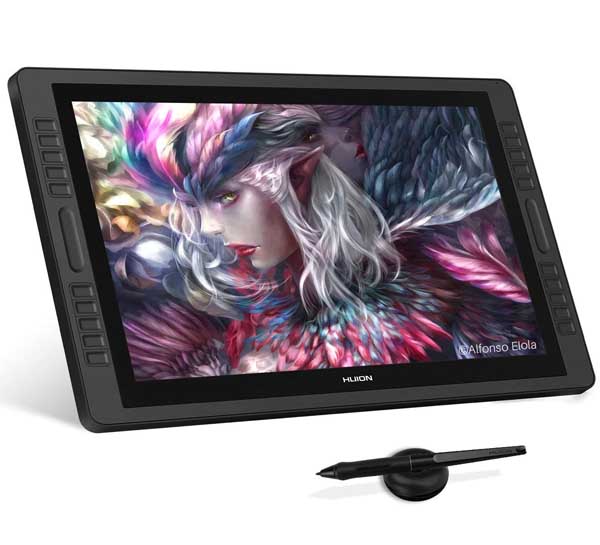
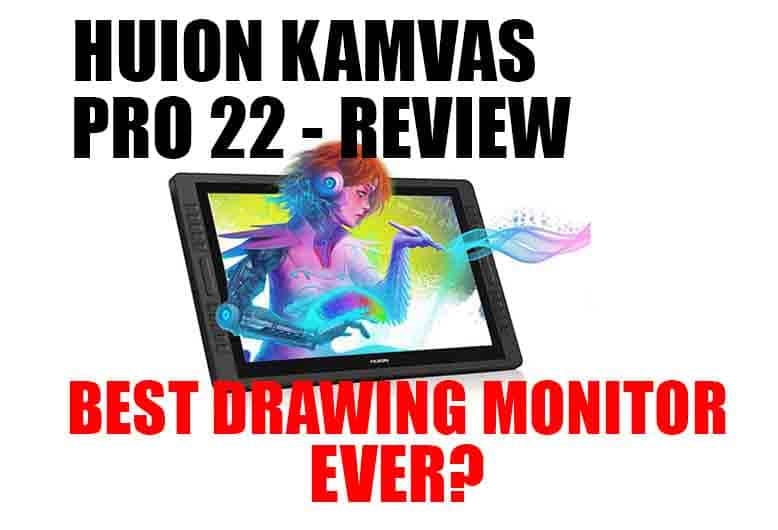
The Kamvas Pro 22 is the best Huion pen display drawing tablet by Huion, surpassing its antecessor, the GT-221Pro. This model has been released as part of the recent renewal of Huion's line of pen display drawing monitors.
Because of the powerful specs of this device, we have written a full review of the Huion Kamvas Pro 22, which you can check out on the following link.
Let's get started with one of the most compact of the Huion range of pen display tablets, the GT-156HD V2, a graphic tablet with 15.6 inch screen. This is one of the main competitors of the Cintiq 13HD, at a much lower price.
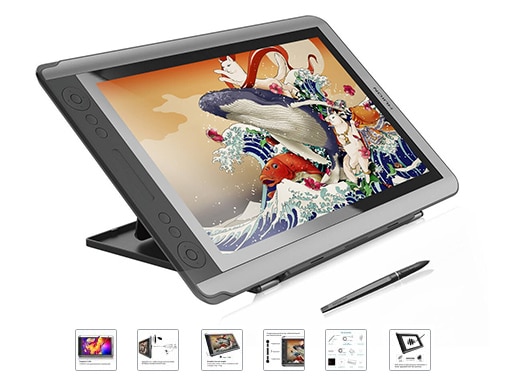
Huion GT-156HD V2 - specifications:
You can usually find the Huion GT-156HD V2 at around 500€, a very low entry price for everything it offers. Keep in mind that, even being the smallest of its range, it has features that the other Huion tablets do not have, such as 3-in-1 cable (very convenient), programmable side buttons and a touch slider bar.
Huion GT-156HD V2 main specs:
Vídeo review of the Huion GT-156HD V2:
In this video (watch the first 5 minutes) you can see a review and unboxing of the Huion GT-156HD V2.
Despite their extremely competitive price, the Huion pen display graphics tablets have really spectacular features. Many artists and graphic designers are already using these Huion tablets with very good results.
Another advantage of the Huion GT-156HD V2 is that it comes with a 3-in-1 cable for video, data and power. This is something very few graphic tablets have (some Wacom tablets like the Cintiq 13HD have it) and it is very useful because it increases comfort and reduces the number of cables, reducing clutter over your desk.
Here you can see what the 3-in-1 cable looks like.
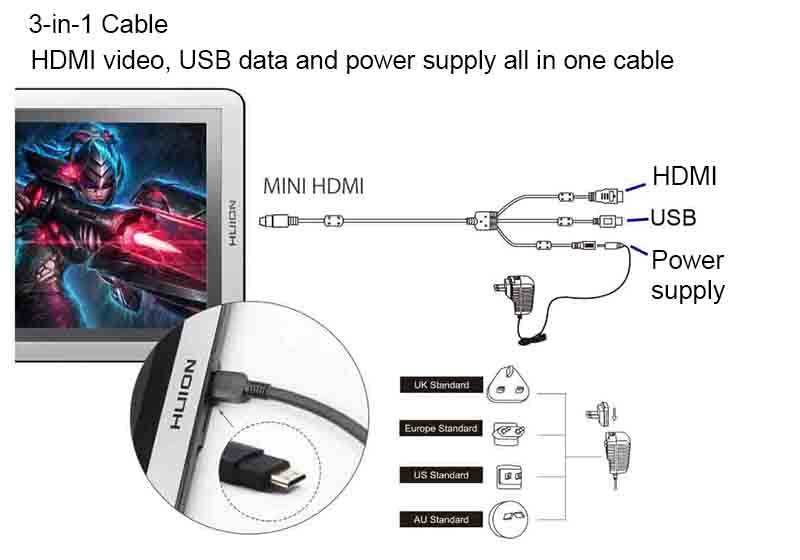
The Huion GT-156HD V2 is one of the few display graphic tablets with a 3-in-1 cable, which is a plus
Huion GT-156HD V2 versus Cintiq 13HD comparison:
As an additional feature, both the Huion GT-156HD V2 and the GT-220HD V2 include a digital drawing glove, which is useful to avoid erroneous pulsations with the palm of the hand on the tablet screen when drawing or writing.
Yet another spectacular Huion drawing tablet, with a screen size of 21.5 inches in this case, that's a good alternative to the Cintiq 22HD at a much lower price.
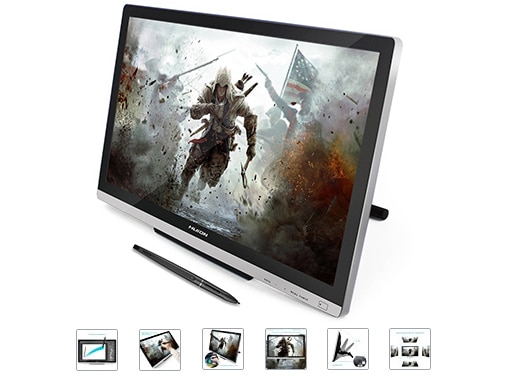
Huion GT-220HD V2 pen display drawing tablet features:
Comparing the Huion GT-220HD V2 versus Cintiq 22HD:
If we compare the Huion GT-220HD V2 with its younger "cousin" the Huion GT-156HD V2, the main difference is that the GT-220HD V2 is larger in screen size, although it comes without express keys, but with a better adjustable stand.
The GT-220HD V2 also comes with various accessories such as a drawing glove to avoid unwanted palm detection, as well as a screen protector.

Note: This model has been the best Huion pen display graphics tablet up until recently. However, since the recent launch of the new Huion Kamvas Pro series of pen display monitors, the new Kamvas Pro 22 has taken its place as the best of the range. Here you can read a full review of the Huion Kamvas Pro 22.
The GT-221Pro is the upgraded version of the GT-220HD V2, including a large amount of programmable express keys on both sides, as wells as slider touch bars on both sides.
Note: This drawing tablet has traditionally been in the Top 10 graphics tablets for it really is a rival of the Cintiq 22HD for less than half the price. However, since the launch of the new pen display monitor line-up by Huion, with its Pro models, probably the Kamvas Pro 22 will take its place in the Top 10.
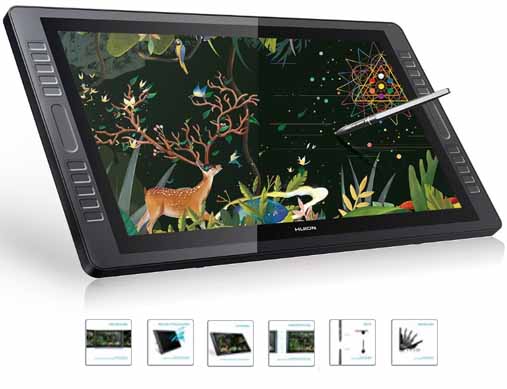
Like a Cintiq 22HD, but half the price
Huion GT-221Pro features:
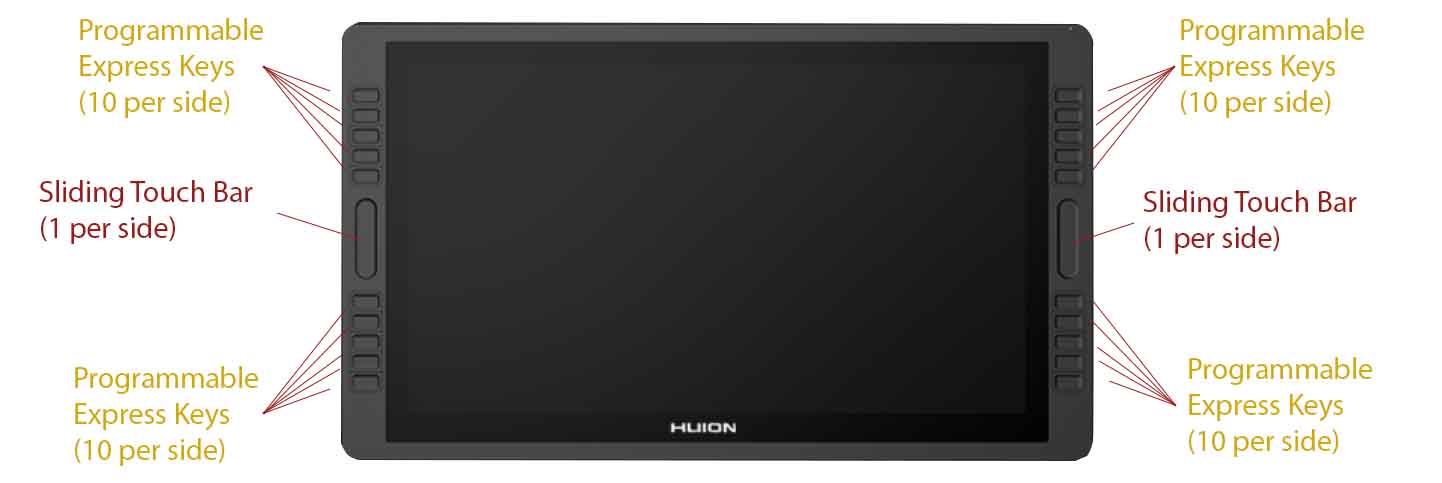
Programmable Express Keys and sliding touch bars on each side of the Huion GT-221Pro.
Comparison: Huion GT-221Pro V2 versus Cintiq 22HD:
Like other Huion pen display tablets, this one also comes with accessories included such as drawing glove, digital stylus holder and spare pen nibs.
Just like the more expensive Cintiq 22HD, this is also a professional and semi-professional graphics tablet with screen for drawing, graphic design, digital illustration, 3D modeling, animation or any other creative activity, for half the price.
Summing it all up, the Huion GT-221Pro is a high spec drawing tablet which has pretty much all you could possibly ask from a graphics tablet with screen. Its specs are among the highest in the market, really on par with the Wacom Cintiq 22HD, for less than half the price. For all of the above, this tablet deserves to be included in the Top 10 drawing tablets.
As you may already be aware of, Wacom is the leading brand in graphic tablets. They make models for all levels and of good quality, but their price is higher than other brands due to their prestige.
Wacom's range of pen display graphics tablets is called Cintiq, a name you've probably heard. Cintiqs are the reference graphics tablets with screen in the sector, especially as they are the most used at a professional level.
Is the price of Wacom's Cintiq pen display tablets justified? Or is it better to buy other brands such as Huion or Ugee? This is the eternal debate, and there are opinions for all tastes.
But being objective, we have to recognize that Wacom is one step ahead of the other brands. Wacom display tablets have things that other brands don't have, such as multi-touch functionality. Now, the decision to pay a little more for these extras, or for the added confidence that the Wacom brand brings to the table, depends on the end user.
Below we analyze the main Wacom Cintiq drawing monitors that you may be most interested in. The complete Cintiq range is very wide and we can't analyze all the models here (we'll leave that for another post), so let's just talk about the 13'' and 22'' models, which are probably the ones you might be most interested in. But know that Wacom has models up to 24 and 27 inches, more oriented to professional use. If you want to see the full range of Wacom interactive monitors, you can see all the models in Wacom's Cintiq range on the official website.
Wacom's most compact 13-inch drawing tablets with screen are the Cintiq 13HD and the Cintiq Pro 13. The Cintiq 13HD is one of the most reputable drawing monitors on the market. It is used by students of design and visual arts, professionals of graphic design and digital illustration, as well as many companies.
The Cintiq Pro 13 is a superior version.
Cintiq 13HD and Cintiq Pro 13 features:
The Cintiq 13HD has a 13'' Full HD 1920x1280 screen, digital pen without battery with 2048 pressure levels and tilt sensitivity. In the case of the Cintiq Pro 13, it reaches 8192 pressure levels.
Although their names are similar, the Cintiq 13HD and the Cintiq Pro 13 have some differences. The Cintiq Pro 13 is a superior model, with multi-touch and more pressure sensitivity levels.
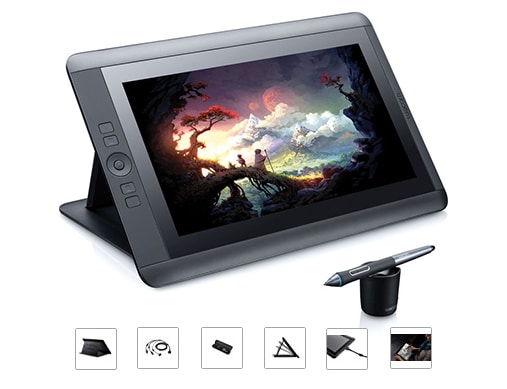
Cintiq 13HD - specifications:
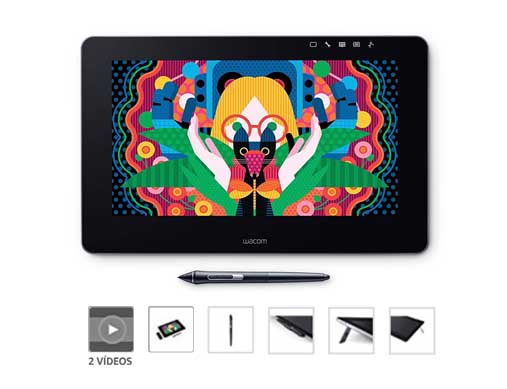
Cintiq Pro 13 - specifications:
On the following table you can see the differences between the Cintiq 13HD and the Cintiq Pro 13:
Model | Screen size | Battery-free pen | Pressure levels | Multi-touch | Tilt sensitivity | Screen resolution |
|---|---|---|---|---|---|---|
13'' | Yes | 2048 | No | Yes | Full HD 1920x1080 | |
13'' | Yes | 8192 | Yes | Yes | Full HD 1920x1080 |
Video review of the Wacom Cintiq 13HD and Cintiq Pro 13:
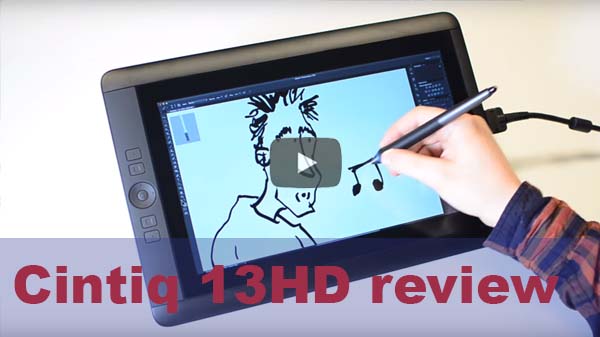
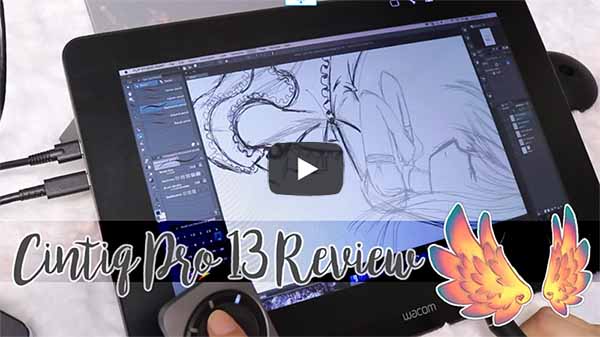
If you want to see what the Cintiq 13HD or Cintiq Pro 13 look like, and get an idea of how they feel when it comes to drawing, check out these videos that will give you a feel for the size and how they really look:
Is it worth buying Wacom?
Wacom drawing tablets with screen are the top of the range, so they are more expensive than other brands.
As in all things, there are defenders and detractors of Wacom. There are those who say you pay for the brand, and there are those who say Wacom is the best. Some users reckon Wacoms tend to have less driver issues (this is difficult to measure). In any case, it is only fair to recognize that they have several things that almost no other graphics tablet has (or very few), such as:
These are characteristics that we could call "Premium", it depends on the user whether to pay for them or not. There are those who find these desirable features and there are those who can live without them.
When buying a graphic tablet with screen for drawing, graphic design, animation or 3D modeling, you decide if these factors are important to you or not.
If you think Wacom Cintiqs are too expensive in comparison with other brands like Huion, Ugee, etc. take a look at the alternatives we analyze further down in this article. They are cheaper drawing tablets with screen, but with still very good specifications. Look at the prices of the Cintiq Pro 13 and Cintiq 13HD and tell us what you think in the comments section.
The Cintiq 22HD is a professional level 21.5 inch Full HD graphics tablet. It is part of Wacom's high-end range and it is designed to meet the most demanding expectations. This is a high quality graphics tablet with screen for drawing, graphic design, 3D or any other creative endeavour.
Cintiq 22HD characteristics:
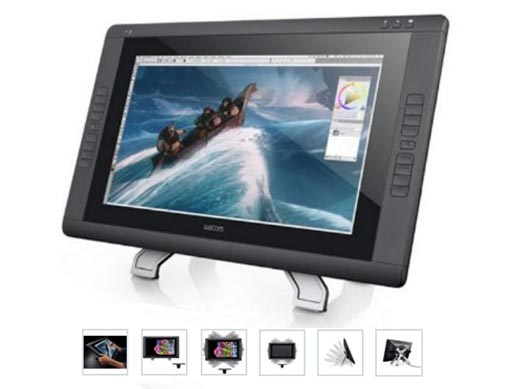
Especificaciones de la Cintiq 22HD:
The Cintiq 22HD, a professional pen display drawing monitor
The Cintiq 22HD comes with a multi-adjustable stand that allows you to tilt the screen and also rotate it. This is a unique feature of this model. Rotating it is useful and convenient for drawing in a more ergonomic position (see the image below for a clearer view).
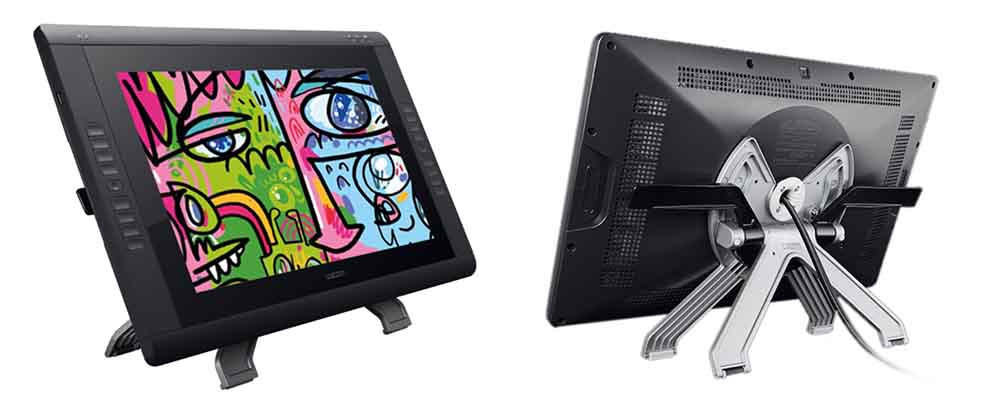
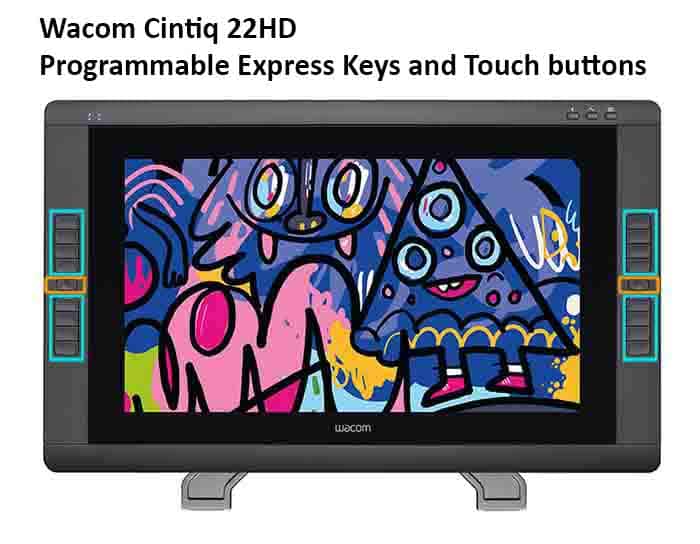
The 16 programmable buttons (8 on each side) speed up your workflow when drawing, comfortably and efficiently accessing the functions most used in drawing programs. Its two tactile strips (one on each side) are used to zoom or move around the workspace. The buttons can be reprogrammed to do the functions you use most often.
Programmable buttons are one of those elements that are considered a plus in graphic tablets, as they usually increase comfort and ease of use, and the Cintiq 22HD has 16 of them. Drawing tablets with express keys are usually a bit more expensive than tablets without side buttons, because buttons increase the cost of the hardware.
Is the Cintiq 22HD too expensive? What are the alternatives?
The breadth and comfort of a 22-inch interactive monitor for drawing is incomparable. Its large surface allows you to make wider strokes, work more comfortably, and the larger the screen the less tiring for your eyes in comparison to a smaller screen. The Cintiq 22HD is a professional drawing tablet with screen, so it's cost is on the high side.
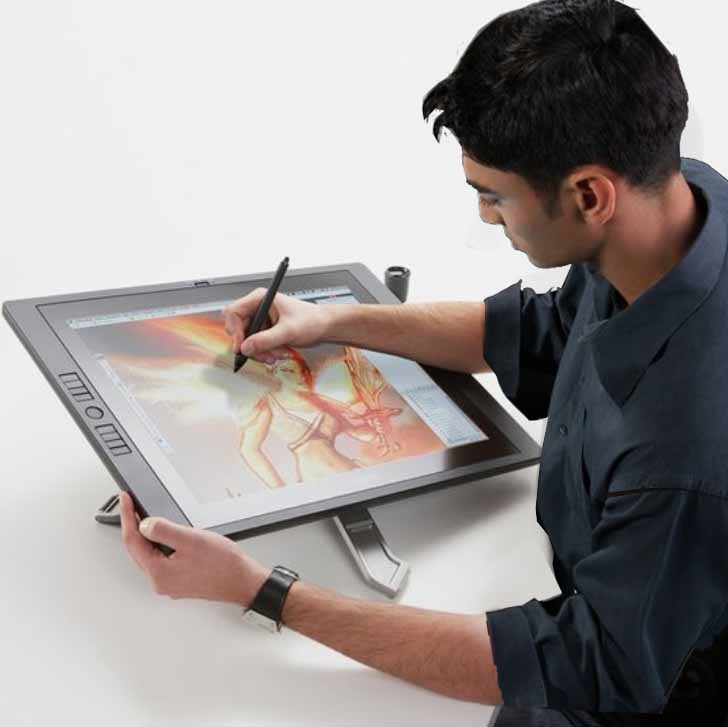
This is how it feels to draw on a graphic tablet with a 21.5-inch screen. Maximum comfort.
However, if you would like to buy a graphics tablet with a 22-inch screen but the Cintiq 22HD is out of your budget, don't worry, as there are other 22-inch drawing monitors for less than half the price. Specifically, the Huion and Ugee brands offer 21.5-inch drawing tablets with Full HD screens and spectacular specifications at ridiculously low prices.
If you want alternatives to the Cintiq 22HD, for a much lower price (let me stress that again, MUCH lower), look at the following models:
With tablets like these, if you want to have a graphics tablet with a 22-inch screen to draw and design big, the price is no longer an excuse.
Gaomon Graphics Tablets With Screen
Gaomon is another high-tech company developing graphic tablets and pen display drawing tablets. It is less known than other brands like Ugee and Huion, and it does have a more reduced portfolio of products, however they sell quite well and users are getting good results with their graphic tablets.
Interestingly, Gaomon makes more drawing tablets without a screen than pen display tablets, and the PD1560 is actually the only graphic tablet with a screen that Gaomon makes.
Gaomon PD1560 drawing tablet features:
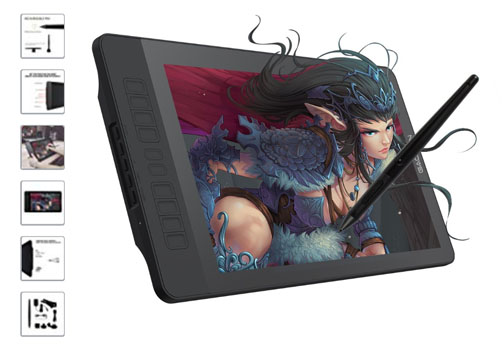
Gaomon PD1560 - specifications
Comparison: Gaomon PD1560 versus Huion GT-156HD V2, which one is better?
Here we are looking at two 15.6 inch drawing screens that many users compare side by side before buying. Both drawing tablets have a Full HD screen with 1920 x 1080 pixels and a digital stylus with 8192 pressure sensitivity levels. So, if we had to buy one, which one would be the winner?
In this case the specs comparison is quite close, as both tablets tie up in most specs, with the viewing angle of the screen being the only noticeable difference (the Huion GT-156HD V2 has the full viewing angle of 178 degrees but the Gaomon only has 89 degrees). Additionally, the adjustable stand is probably better on the Gaomon as it allows for multi-angle adjustment where the Huion one only has two positions.
Apart from these small differences, both drawing screens are quite similar so ultimately it is up to you to decide and both can give you good results. You can check the price of the Gaomon PD1560 here and that of the Huion GT-156HD V2 here.
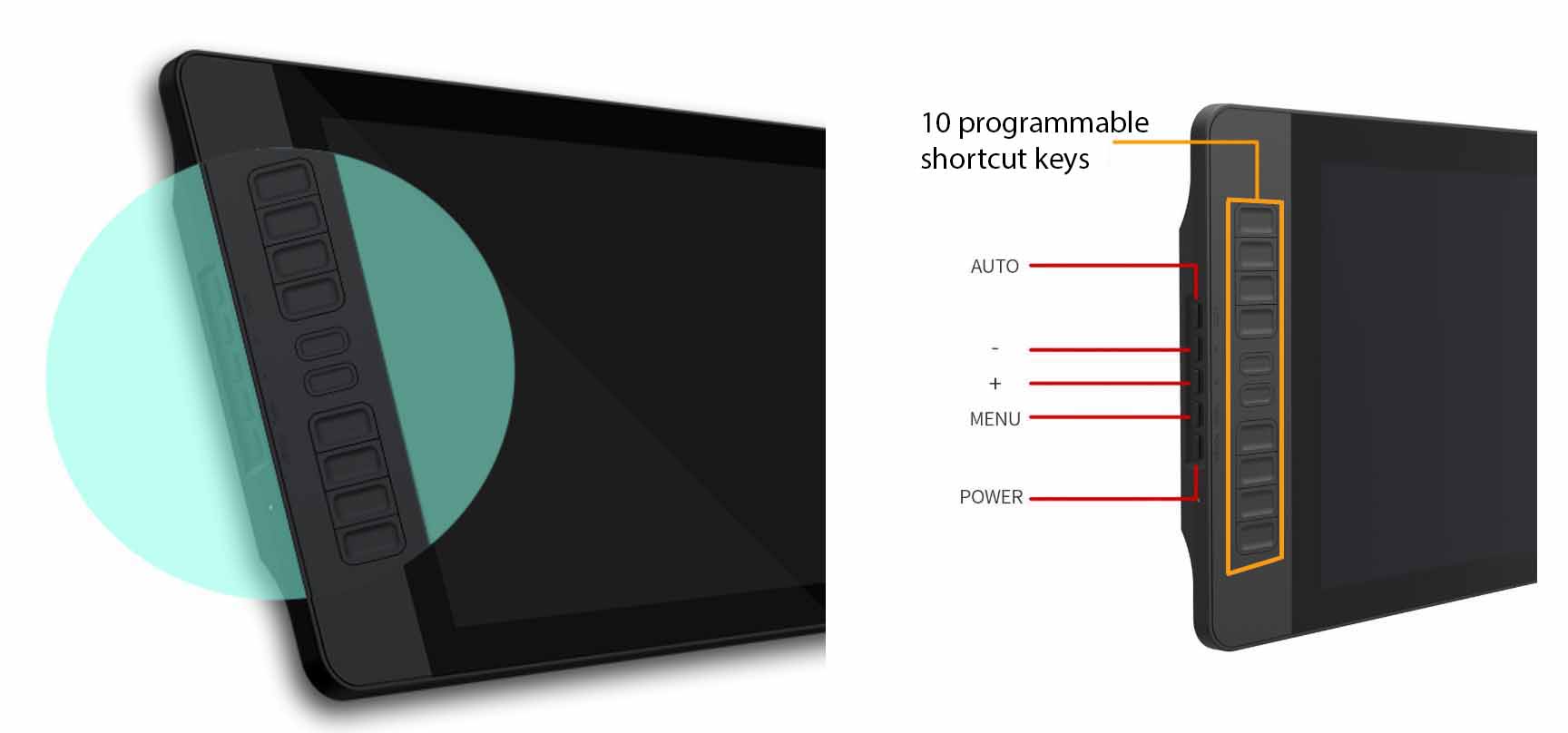
Programmable shortcut keys on the Gaomon PD1560 pen display tablet
Gaomon PD1560 vs Huion GT-156HD V2 summary:
Summing up, in this case we have to say it's technically a draw between these two models. For most users, price will be the deciding factor when deciding which of these drawing tablets with screen to buy. Here you can see the price of the Gaomon PD1560 versus the price of the Huion GT-156HD V2.
Ugee graphics tablets also have a decent market share and are a viable alternative to Wacom. Ugee drawing tablets are generally speaking even cheaper that the Huion ones.
On the next section we present the most interesting models of Ugee drawing tablets with screen. If you want more details about these drawing tablets you can visit Ugee's official website, although you may find that the information contained there is not very deep, so we have analyzed and compared these tablets here for you.
User reviews for Ugee drawing tablets are generally good, if anything some users have reported that driver installation may require a bit more messing around than for example Wacom tablets. In our experience, any graphic tablet can get driver issues sometimes no matter what brand they are, however these are software and not hardware issues and it's usually just a matter of reinstalling drivers.
In any case, Ugee graphics tablets are much cheaper than Wacom and even cheaper than Huion, which may turn the tables in their favour for some users.
With a 15.6 inch screen, the HK-1560 is the most compact Ugee pen display graphic tablet, also the cheapest one of this manufacturer.
Ugee HK-1560 features:
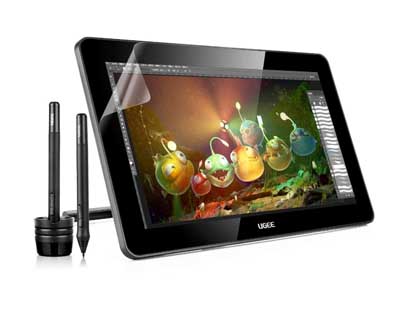
Ugee HK-1560 - specifications
So, is it worth buying this drawing tablet?
As usual, it depends on your needs. If you want to spend little money, or you are looking for a drawing tablet with screen for beginners, then this may be a good choice for you.
It is high resolution 1920 x 1080, which is all right, however it only comes with 2048 pressure sensitivity levels, while there are models out there like the Huion GT-156HD V2 with 8192 levels.
Comparison: Ugee HK-1560 versus Huion GT-156HD V2
Let's look at these two drawing tablets side by side since they have the same screen size and they may be competitors to each other.
Summing up, the Ugee HK-1560 is a low cost drawing tablet in the medium size screen range. In exchange for its low cost, it has somewhat lower specs than its competitors.
The Ugee UG-1910B, with a 19 inch screen, can also be a low cost alternative to Wacom. It is relatively similar to Huion's GT-191HD.
Ugee UG-1910B characteristics:
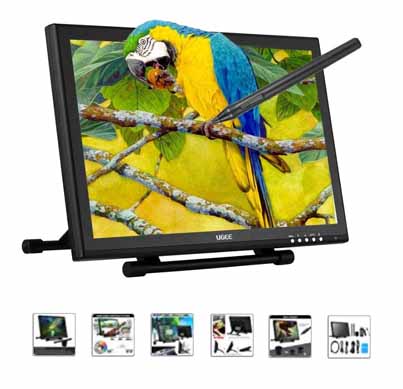
Ugee UG-1910B - specifications
Is it worth buying this drawing tablet (Ugee UG-1910B), or should I buy a Huion GT-191HD instead?
In the 19 inch screen size space, this drawing tablet would be the equivalent of the Huion GT-191HD, which is a bit more expensive but is actually Full HD and has 8192 pressure levels.
Although the price of the UG-1910B is quite good for a drawing monitor of its size, the fact that it is not a Full HD screen and the 2048 pressure sensitivity levels means that in many cases it may be better to pay a bit more for a Huion GT-191HD and get the Full HD and increased pressure sensitivity.
See the comparison below where you will see the picture more clearly.
Comparison: Ugee UG-1910B Versus Huion GT-191HD
As you can see, both models are quite close to one another. Therefore the decision of which one to buy depends on the end user. You can pay a bit more for the Huion GT-191HD to get the Full HD screen and the 8192 levels of pressure sensitivity, or you can save some money and get the Ugee UG-1910B if you don't mind the slightly lower specs.
If we had to choose, we would probably choose the Huion GT-191HD, as the price gap is small and the possibility to have a Full HD screen and a better digital pen makes it worth.
The last drawing tablet with screen from Ugee, the UG-2150, is the 21.5 inch pen display tablet offering of this brand. It is an equivalent to the Huion GT-220HD V2, but cheaper.
Ugee UG-2150 characteristics:
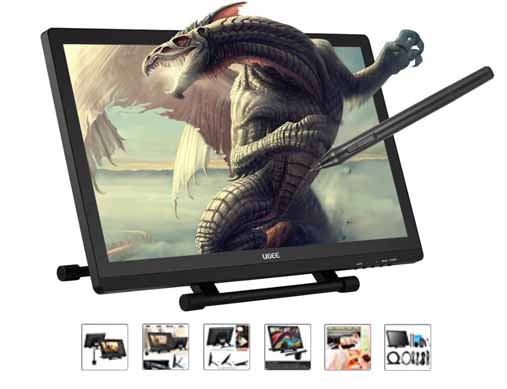
Ugee UG-2150 - specifications
Comparing the Ugee UG-2150 with the Huion GT-220HD V2, which one to buy?
These two 21.5 inch tablets are competitors to one another. Both have a Full HD digitizer screen for drawing with a complete viewing angle of 178 degrees, both have a multi-position stand and no express keys, so... What is the difference?
Basically the main difference is on the number of pen pressure sensitivity levels of each one. The Ugee UG-2150 has 2048 levels, whereas the Huion GT-220HD V2 has 8192.
Just like with the other Ugee vs Huion comparisons we have done before, we see again that the Ugee tablets tend to have a lower price at the expense of having some slightly lower spec somewhere. Otherwise, both are very similar to each other.
Comparison: Ugee UG-2150 versus Huion GT-220HD V2:
Summing up, we see the same trend again. The Ugee tablet is cheaper than the Huion, and in exchange it has some lower characteristic, in this case the pressure sensitivity levels of the pen.
Apart from that, if you are an artist doing digital illustration, graphic design or animation and 3D modeling, the Ugee UG-2150 is a pretty good drawing monitor with high screen resolution and its price is very competitive compared with Wacom tablets.
XP-Pen Display Drawing Tablets
XP-Pen is high-tech Japanese firm thact manufactures high quality graphic tablets and pen display tablets for artists, 3D modellers and animators. Their products are used by artists, students and creative professionals in the visual arts industry.
XP-Pen is one of those brands that literally flood the market with dozens of models, in contrast with other graphic tablets manufacturers such as Gaomon, Ugee, Huion or even Wacom, whose product portfolio is much shorter. On XP-Pen's official website you can actually see how their philosophy is to try to introduce a great variety of products on the market, trying to cover all bases and all possible user needs.
The XP-Pen display drawing tablets range consists of up to 9 models, from the smallest 10 inch screen size to the largest 22 inch drawing monitors:
- 1XP-Pen Artist Display 12 (12 inch)
- 2XP-Pen Artist Display 13.3V2 (13.3 inch)
- 3XP-Pen Artist Display 15.6 (15.6 inch)
- 4XP-Pen Artist Display 16 (16 inch)
- 5XP-Pen Artist Display 16Pro (15.6 inch)
- 6XP-Pen Artist Display 22 (22 inch)
- 7XP-Pen Artist Display 22 Pro (21.5 inch)
- 8List XP-Pen Artist Display 22E (21.5 inch)
- 9XP-Pen Artist Display 22E Pro (22 inch)
As you can see, the XP-Pen range of pen display tablets is quite crowded, so we can't analyze every model, for this reason we have chosen to review the ones that you may be most interested in.
This is the smallest pen display tablet of the XP-Pen offering, which may be a good option if you are looking for something lightweight and portable (as well as cheap) to be able to draw and sketch on the go, perhaps with a laptop.
It may catch your attention because of its ultra-thin profile (thinner than an iPhone). This drawing tablet is just 6 millimeters thin, while an iPhone 5 or 6 are around 7 millimeters thick.
XP-Pen Artist Display 10S - features:
► Recommended drawing tablet with small screen:
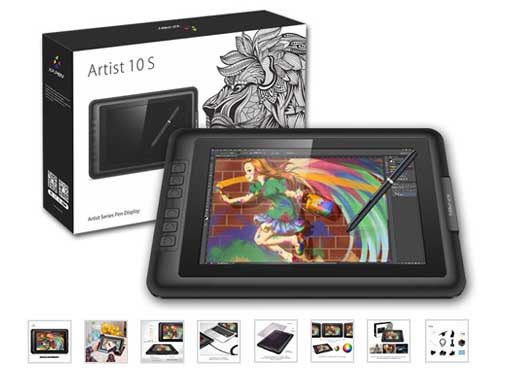
XP-Pen 10S display drawing tablet - specifications:
I am looking to buy a portable, lightweight drawing tablet with a small screen... Is the XP-Pen 10S worth it?
In our honest opinion, yes. Here is why:
But the screen of the XP-Pen 10S drawing tablet is not Full HD... Is this a problem?
No, because the screen size is 10 inches. Let's do some math:
The active area of the XP-Pen 10X is 217 x 136 mm (29512 mm2). The reolution is 1280 x 800 pixels (approximately 1 million pixels). Therefore, there are around 34.7 pixels per squared millimeter on the XP-Pen 10S screen.
If we compare this to a Full HD tablet, say the Huion GT-156HD V2 (a very good drawing tablet by the way), its active area is 344 x 193.6 mm and its resolution is 1920 x 1080 pixels (about 2 million pixels), which works out be around 31 pixels per squared millimeter. The small XP-Pen 10S wins.
As you can see, 1280 x 800 pixels in a 10 inch screen tablet can produce more pixel density than a larger screen with Full HD resolution.
Another interesting aspect of this drawing tablet is that XP-Pen claims for this model to have a special anti-glare coating that reduces the reflections by 56%, even using it outside on a sunny day. Although difficult to measure, any glare-reduction device really helps when trying to draw on the screen of a graphics tablet.
Is the screen of the XP-Pen 10S too small?
If you are thinking of buying a compact drawing tablet with a 10 inch screen like the XP-Pen 10S, probably you want something lightweight and easy to carry around. The XP-Pen 10S fulfills these requirements easily.
Its size is ideal to carry it around in the pocket of your laptop bag. Its thickness is just 6 millimeters, so we are talking even thinner than the iPhone 6 which is 6.9 millimeteres thick.
On the image below you can get an idea for the real dimensions of the 10S:
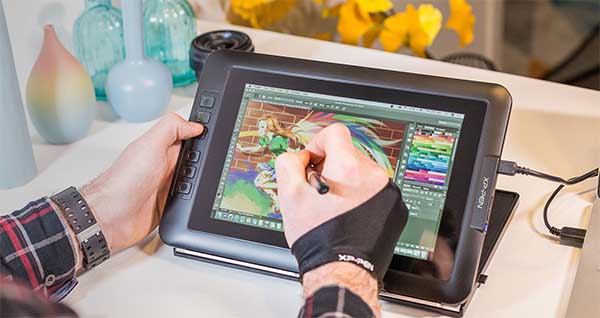
This gives you an idea of the relative size of the XP-Pen 10S
It is quite likely though that a 10 inch screen drawing tablet is not the best choice for 3D modeling or animation, as this would not make your life easier when it comes to interacting with a complex user interface with small incons on screen. A drawing tablet of this size is better suited for things like sketching or digital painting.
Comparison between XP-Pen 10S and Parblo Coast 10
You can see this comparison further down.
Another good model from the Japanese XP-Pen, the Artist Display 16 Pro is a best seller in the 15.6 inch screen graphic tablets.
XP-Pen Artist Display 16 Pro features:
► Drawing tablet with Full HD screen XP-Pen Artist Display 16 Pro:
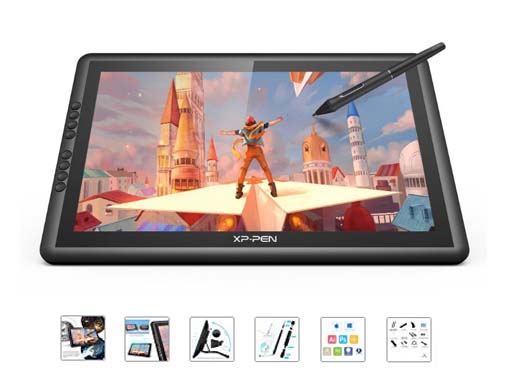
XP-Pen 16 Pro - specifications
Why the XP-Pen 16 Pro specifications are quite spectacular:
This is a summary of why this drawing tablet has pretty good specifications:
The XP-Pen Artist Display 16 Pro has a color gamut of 92% Adobe RGB. Does this mean that it's better than other similar drawing screens?
The color gamut on the XP-Pen Artist Display 16 Pro is 92% Adobe RGB. Other graphics tablets we have seen, in particular Huion, Ugee and Gaomon, have 72% NTSC.
Does that mean that this graphic tablet has better color quality than Huion, Ugee or Gaomon?
Yes and no. The key here is that this 92% is with respect to "Adobe RGB", not NTSC. Other tablets achieve 72% ofthe NTSC colour space, but this doesn't necessarily make them worse. Adobe RGB and NTSC are two different scales. In any case, 92% Adobe RGB is a really good figure for high quality colour.
How do you know that 92% Adobe RGB is a good figure for color gamut? Well if you take the Wacom's Cintiqs as a reference, this performance is only achievd by the Cintiq Pro 16 (94% Adobe RGB), Cintiq Pro 24 (99% Adobe RGB) and the huge Cintiq 27 (97% Adobe RGB). The XP-Pen Artist Display 16 Pro wins this battle versus the Cintiq 13HD, Cintiq 13 Pro, Cintiq 22HD and Cintiq 22HD Touch. Not bad.
To give you an idea, check the image below whe you can see the difference between the XP-Pen Artist Display 16 Pro and the previous model. As you can see, 92% Adobe RGB means lower colour distortion and a richer, more realistic colour.
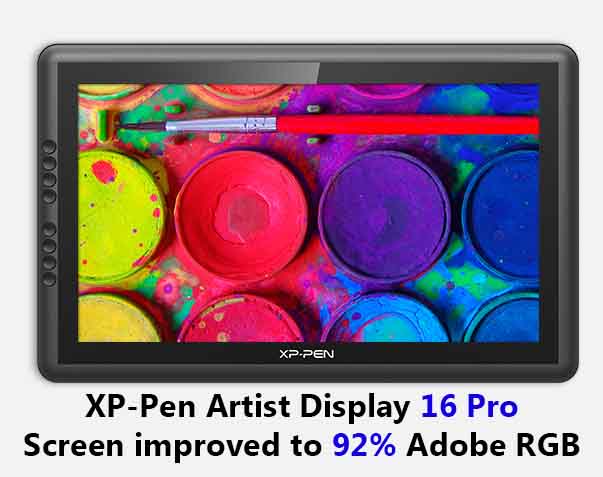
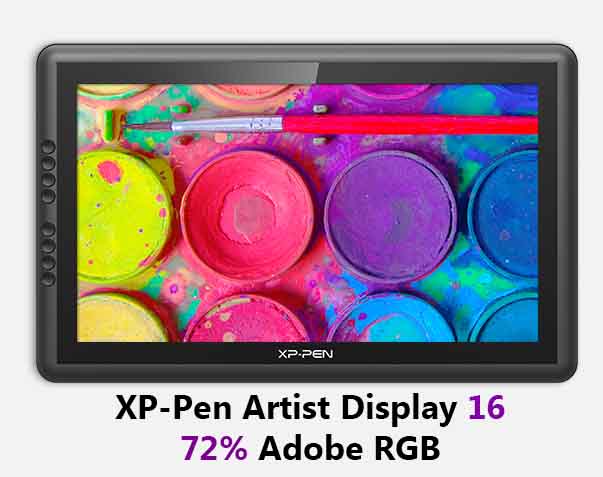
Here you can get a feel for the difference between a high quality screen with 92% Adobe RGB color gamut and a lower color quality screen.
XP-Pen Artist Display 16 Pro, summing up:
This drawing tablet is a pretty good choice for its price range, as it has features that no other 15.6 inch screen drawing tablet has: 266 RPS report rate, extra colour quality and anti-glare coating layer. This alone could be enough to decide in its favour when comparing agains other graphic tablets.
Comparing the XP-Pen Artist Display 16 Pro versus the Huion GT-156HD V2:
Parblo graphic tablets with screen
We review one of the most well known graphic tablets with screen of the Parblo brand, which is their 10 inch model, the Parblo Coast10, widely known for its incredibly low price.
It is also famous for its simplicity, as it only uses one single USB cable, for everything.
If you are looking for a tablet with a small screen to draw or sketch on the go for a low price, the 10 inch Parblo Coast10 may be for you.
With a 10 inch screen you can sketch and do digital drawings and it gives you the advantage of being quite portable, easy to carry around with your laptop. However we don't recommend this model for 3D modeling/sculpting or animation, since the screen is too small.
Parblo Coast10 features:
► The cheapest drawing tablet with screen: Parblo Coast 10
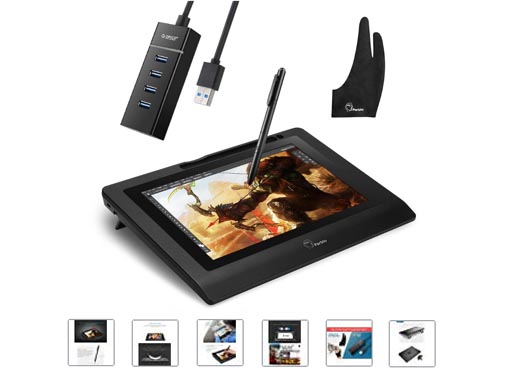
Parblo Coast10 drawing tablet - specifications:
What is the best of this drawing tablet with screen? And the worst?
The best:
The worst:
Parblo Coast10 pen display drawing tablet: Unboxing and drivers installation process video
In this video you can see the Parblo Coast10 being set up, and how to install the drivers.
Comparison: Parblo Coast10 versus XP-Pen Artist Display 10S
These two drawing tablets are the same size, 10 inch screen, the smallest and most compact size of drawing tablets. Below we have done a side-by-side comparison so you can decide to go for one or the other:
You can check the price of the Parblo Coast10 here.
Wrapping up...
In this article:
Still not sure what drawing tablet with screen to buy? Let us answer your questions
If you are still in doubt, we can help you. Leave us your questions in the comments section and we will help you decide what model is the best for your needs.
If you haven't done so yet, take this quick test (it's fun!) and you will discover the perfect Drawing Tablet for you.
As you have probably noticed, graphic tablets with screen are becoming cheaper due to the vast offering of models by different manufacturers, and nowadays it is not uncommon to see pen display tablets from 200 or 300$. So, if you want to enjoy drawing on one of these, the price is no longer an excuse.
If you need help understanding the specifications of graphic tablets or to learn how to choose one, have a look at our selection guide for graphic tablets.
We hope you find this info helpful.
Are you looking for a cheaper graphics tablet that these?
Do you want a tablet that also serves you as a computer?
 (3 votos, promedio: 5.00 de 5)
 Loading...
Have you got any questions? Leave your comment and we will help you. How much is your budget? Is there a particular tablet that you like? With or without a screen? Have you used a graphics tablet before? How can we help you?